

Importance of Travel Apps for Modern Travelers
In today’s fast-paced world, travel apps have revolutionized how we plan and experience trips. These powerful tools put a wealth of information and services directly at your fingertips, transforming once time-consuming tasks into seamless, on-the-go actions. From booking flights to navigating foreign cities, mobile apps save time, reduce stress, and enhance overall convenience for modern travelers.
Recent studies reveal that over 70% of travelers use mobile apps during their journeys, with many relying on them for itinerary management, real-time flight updates, and last-minute reservations. This surge in app usage highlights their essential role in making travel more efficient and enjoyable.
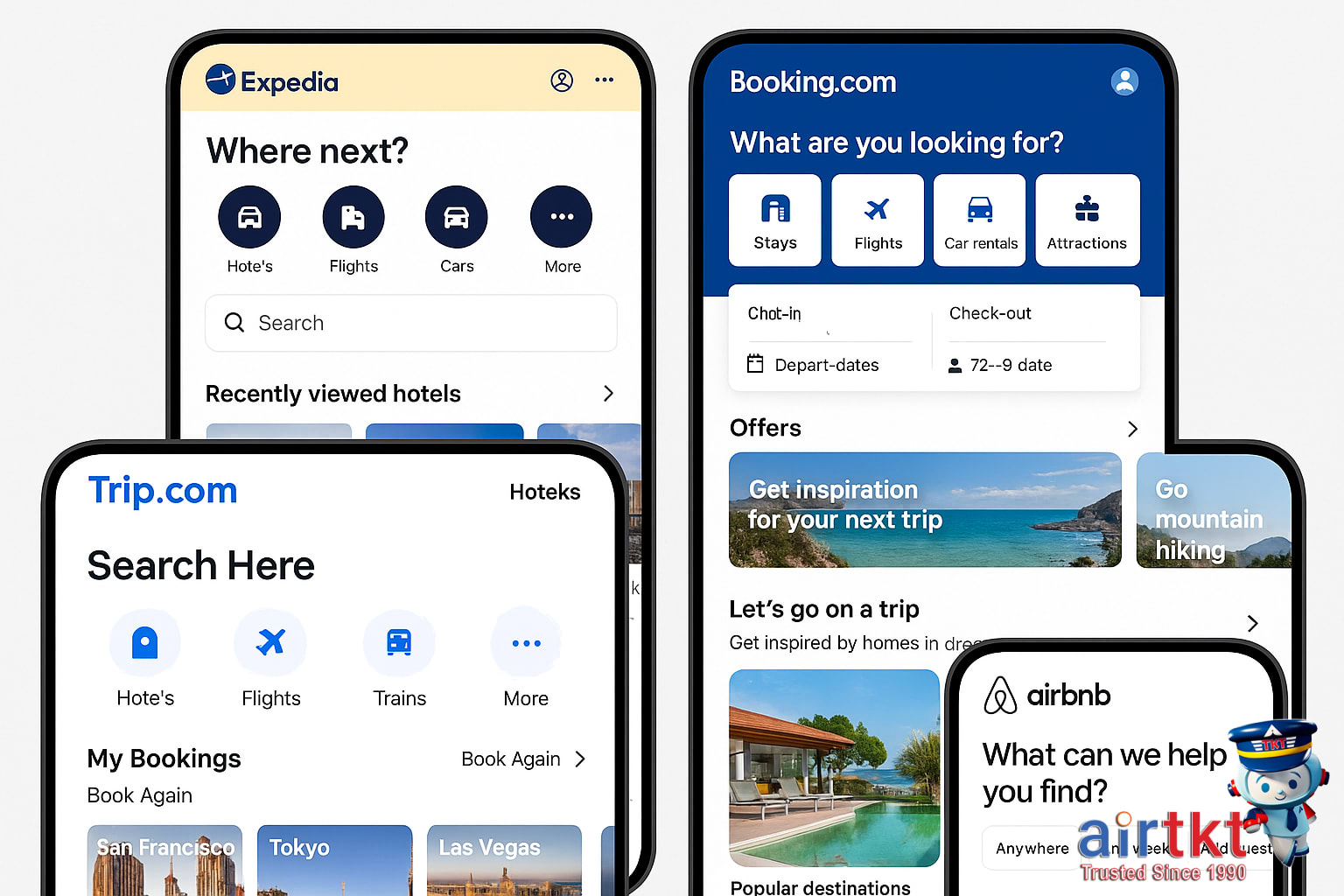
When choosing the right travel apps, consider four key criteria that ensure the best experience:
- Usability: Intuitive interfaces and clear navigation simplify the booking and planning processes, especially for travelers on the move.
- Offline Capabilities: Access to essential information without internet connectivity is a game changer, especially in areas with limited signal.
- Overall Utility: Apps should offer diverse features, such as fare comparisons, itinerary tracking, local recommendations, and emergency support.
- Traveler Safety: Reliable apps incorporate safety alerts, secure payment options, and customer service accessibility for peace of mind.
At AirTtkt, our mission aligns perfectly with these principles. We strive to empower travelers by providing affordable, accessible travel tools that make booking flights, hotels, and car rentals effortless. With user-friendly search functions and exclusive deals, AirTtkt helps you explore the world confidently and affordably, right from your mobile device.
Navigate Efficiently Using Google Maps
Google Maps remains one of the most versatile and reliable navigation tools worldwide, packed with features that meet the needs of every traveler. Its capabilities include offline maps, real-time traffic updates, and multi-modal directions, catering to walkers, drivers, and public transit users alike. These functionalities provide users with seamless navigation support, whether maneuvering through congested city streets or exploring rural areas with limited connectivity.
One of the standout features for travelers is the ability to download offline maps. This is especially valuable when visiting regions with poor or expensive internet access. Offline maps allow continuous access to detailed routes and location data without requiring an active connection, removing the stress of losing navigation mid-journey.
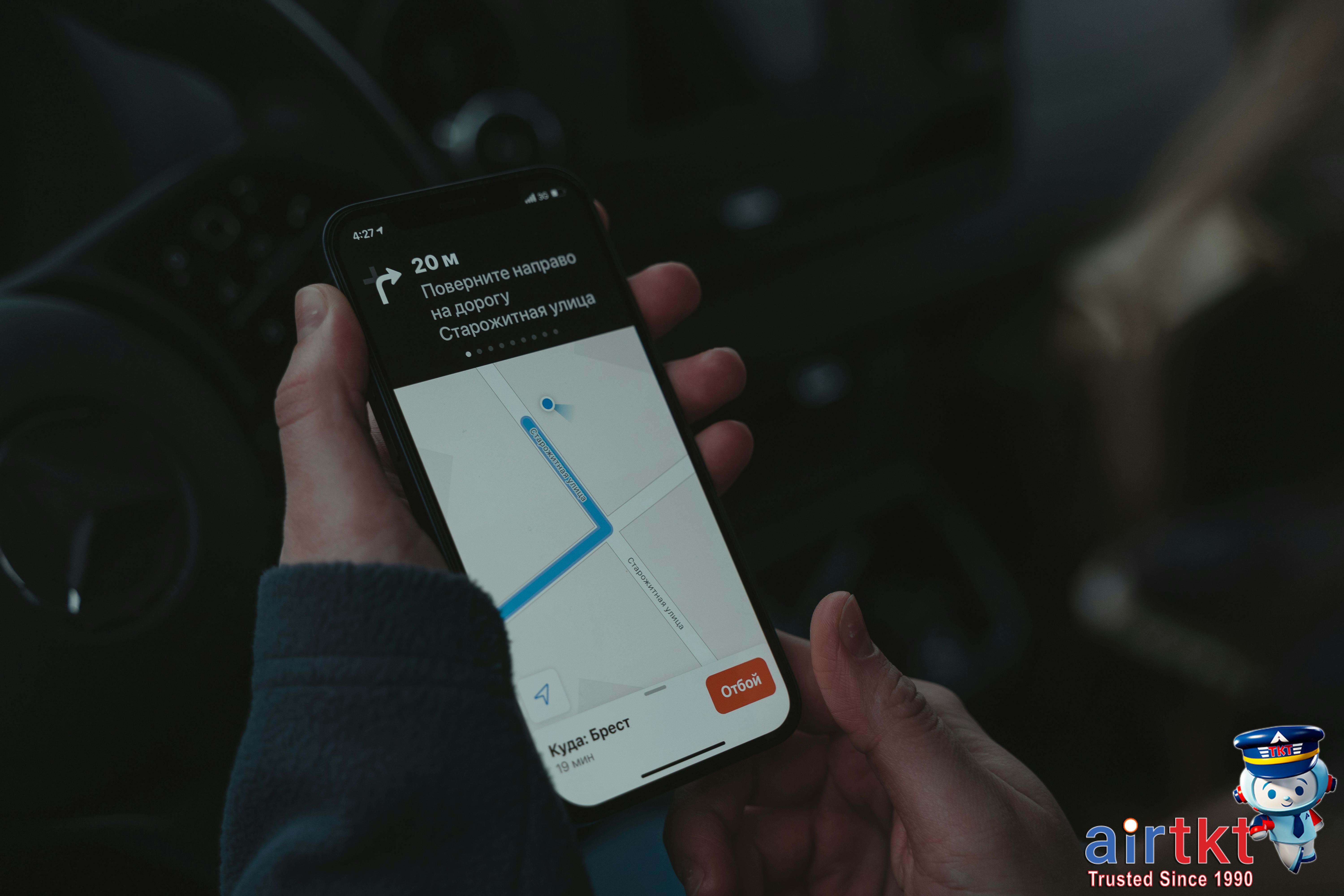
Download Offline Maps Step-by-Step
- Open the Google Maps app on your device.
- Ensure you are signed in to your Google account.
- Search for the area or city you want to save.
- Tap on the location name or address at the bottom of the screen.
- Scroll down and select “Download offline map” or “Download.”
- Adjust the area to cover by zooming in or out; the app shows the size of the download.
- Tap “Download” and wait for the map to be saved to your device.
Once downloaded, you can access this map anytime within the app, even without internet, ensuring uninterrupted navigation. Remember to update offline maps periodically to keep routes and place information accurate.
Maximize Google Maps Efficiency
To get the most out of Google Maps, familiarize yourself with its user interface features:
- Explore Layers: Toggle between map types such as satellite view, terrain, or public transit routes for better situational awareness.
- Real-Time Traffic: Use traffic indicators to avoid delays and find the fastest routes during peak hours.
- Saved Places: Bookmark frequently visited spots or travel destinations for quick access when planning trips.
- Voice Navigation: Enable voice-guided directions to keep your focus on the road or path ahead without needing to glance at your screen.
- Multi-modal Directions: Combine walking, driving, or transit routes to tailor your journey based on convenience and speed.
Google Maps vs. Alternative Apps
While other navigation apps like Apple Maps, Waze, and HERE WeGo provide useful services, Google Maps stands out for its broad global coverage and integration with local business information. Its offline maps feature is more intuitive, and the vast user data powering its real-time traffic offers superior route accuracy. Unlike some competitors, Google Maps also supports public transit directions in more cities worldwide, making it an all-in-one navigation solution.
Overcome Language Barriers With Google Translate
Traveling internationally can present communication challenges, but Google Translate offers powerful tools to bridge language gaps. Its combination of offline language packs, instant camera translation, and voice input makes real-time interaction more accessible, even in remote areas with limited connectivity.
One of Google Translate’s standout features is the ability to download offline language packs. This allows travelers to translate text without an internet connection, ensuring continuous access to essential communication. Whether you’re navigating signs, reading menus, or understanding street names, these offline packs keep you connected when Wi-Fi is unavailable or expensive.
The app’s instant camera translation is another invaluable tool. By simply pointing your phone’s camera at foreign text—such as menus, ingredient labels, or public signs—Google Translate overlays the translation directly on your screen. This feature instantly breaks down written barriers, making it easier to decide on meals, find directions, or comprehend safety instructions.
Voice input enables travelers to conduct basic conversations or quickly ask for help. Speaking into the app allows for real-time spoken translations, making interactions like ordering food or asking for directions smoother. In emergencies, it can even facilitate vital communication when immediate assistance is needed, wherever you are.
To maximize effectiveness, pre-download offline language packs for your destination before traveling. This preparation prevents interruptions caused by poor connectivity and ensures reliable translations throughout your trip. Google Translate supports over 50 offline language packs, covering most popular travel destinations.
Despite its strengths, Google Translate has limitations. Nuanced expressions and idiomatic phrases may not translate perfectly, and context can sometimes be lost. Translations are best used as guidance rather than precise communication. Travelers should continue using common courtesy, visual cues, and basic local phrases alongside the app to create the best experience.
By combining Google Translate’s offline and real-time features, you can confidently navigate foreign environments without letting language barriers slow you down. Planning ahead to download language packs and understanding the app’s capabilities will make your next trip smoother and more enjoyable.
Book Flights Smarter Using Skyscanner and Hopper
Finding the best airfare can be overwhelming without the right tools. Two of the top flight-booking apps, Skyscanner and Hopper, streamline this process by helping travelers search flights, compare prices, and receive timely fare alerts. Both apps enhance your ability to monitor fare trends and predict the best time to buy tickets, making flight booking simpler and more cost-effective.
Leverage Features for Best Fares
Skyscanner functions as a comprehensive flight search engine, scanning millions of routes to find competitive prices across airlines and travel agencies. It offers features like flexible date searches and multi-city trip options to spot the cheapest travel windows. Hopper, on the other hand, excels with its fare prediction algorithms that analyze historical data to forecast if ticket prices will rise or drop.
- Search and compare flights: Both apps allow quick, intuitive searches across thousands of flights, showing side-by-side price comparisons and filtering by preferred airlines, times, or stops.
- Set price alerts: Users can activate notifications to get real-time updates when fares change, enabling you to book at the lowest possible rate.
- Fare trend predictions: Hopper’s color-coded calendar and price prediction tool estimate the best days to purchase tickets.
Booking Tips for Smarter Purchases
Understanding when and how to book can save hundreds. Hopper recommends waiting if their app predicts prices will drop, but acting fast if it forecasts a rise. Skyscanner is great for spotting patterns of price fluctuations over months, especially when your travel dates are flexible.
- Book flights roughly 6-8 weeks in advance for domestic trips to land the sweet spot on fares.
- Use Hopper’s alert system to monitor your preferred routes and receive personalized advice on purchase timing.
- Skyscanner’s “Everywhere” search helps find the cheapest destinations if your schedule is open-ended.
Compare User Experience and Strengths
Skyscanner offers a clean, straightforward interface designed for exploration and broad comparison. It supports multiple languages and currencies, ideal for international travelers. Hopper impresses with its modern app design, rich in visual cues like price calendars and straightforward yes/no purchase recommendations.
While Skyscanner excels in offering comprehensive search breadth, Hopper shines with its predictive insights and personalized push notifications. Many users find Hopper’s predictive advice saves time, whereas Skyscanner’s expansive options help uncover hidden budget destinations.

By combining the strengths of Skyscanner and Hopper, you can monitor fares smartly, understand market trends, and receive alerts tailored to your travel plans. This approach empowers budget-conscious travelers to book confident, affordable flights every time.
Find Ideal Lodging With Airbnb and Booking.com
When planning a trip, choosing the right accommodation platform can greatly impact your travel experience. AirTtkt helps you explore two popular lodging options: Airbnb and Booking.com. Understanding their unique features and booking conveniences will help you secure the perfect stay that matches your style and budget.
Discover Airbnb’s Unique Stays and Community Vibe
Airbnb thrives on offering more than just a place to sleep. It connects travelers with homestays, cozy apartments, and distinctive living spaces including treehouses, boats, and castles. This platform fosters a community vibe, often pairing guests with local hosts eager to share insider tips. Beyond lodging, Airbnb Experiences let you book activities led by locals—perfect for immersive cultural adventures.
Explore Booking.com’s Extensive Hotel Selection
Booking.com shines with its vast inventory of hotels, resorts, hostels, and vacation rentals worldwide. Its user-friendly interface excels at filtering options by price, star rating, guest reviews, amenities, and location. This ease of navigation speeds up the booking process, making it ideal for travelers who prefer established hotels and straightforward reservations.
Compare Key Features and Booking Functions
- Filtering Options: Airbnb filters focus on unique property types and host language, while Booking.com offers detailed sorting by star ratings, guest ratings, and free cancellation policies.
- Booking Process: Airbnb requires profile creation and often direct communication with hosts, which can enhance personalization but may need more time. Booking.com supports instant booking with immediate confirmation, ideal for last-minute plans.
- Customer Support: Airbnb provides 24/7 customer service and a resolution center to handle disputes with hosts. Booking.com also offers round-the-clock assistance with multilingual support and a wide network of partners.
Choose Based On Your Travel Needs
Opt for Airbnb if you:
- Want an authentic local experience or unique lodging.
- Plan to stay longer in one place and enjoy host interaction.
- Seek activities included with your accommodation.
Choose Booking.com when you:
- Prefer traditional hotels with flexible cancellation options.
- Need quick and guaranteed bookings for tight itineraries.
- Value extensive customer reviews for decision-making.
Quick Booking Tips Checklist
- Compare nightly rates and fees on both Airbnb and Booking.com before deciding.
- Read recent guest reviews carefully to avoid surprises.
- Check cancellation policies and insurance options to protect your booking.
- Use filters to match your must-have amenities and location preferences.
- Book early for popular destinations or last-minute for spontaneous trips.
Use Ride-Share Apps Like Uber for Local Transport
Uber has revolutionized local transportation worldwide, offering travelers a reliable, cashless, and convenient way to navigate cities. Its global reach spans across 70+ countries, yet many regions also feature local ride-share alternatives that cater specifically to their markets. For example, Grab dominates Southeast Asia, Bolt is popular in parts of Eastern Europe and Africa, while Didi Chuxing rules the Chinese market. These apps share a common goal: to simplify travel with quick booking, transparent fares, and digital payments.
One of the biggest advantages of using Uber or similar ride-share services is the ease of booking. Instead of hailing a taxi or waiting for public transportation, you simply open the app, enter your destination, and request a ride. No cash needed—your payment is linked to your credit card or digital wallet, eliminating the hassle of carrying local currency or calculating tips. Most apps provide upfront fare estimates, so there are no surprise costs.
Safety features are another key benefit. Uber and many local apps offer GPS tracking, driver ratings, and the ability to share your trip details with friends or family for peace of mind. Emergency buttons and 24/7 customer support are often integrated to enhance rider protection, which is especially important for solo travelers and those unfamiliar with the area.

Setting up these apps is straightforward. Download Uber or the local equivalent from your app store, create an account, and add a payment method before your trip. Enabling location services ensures accurate pickup points. When booking, double-check your pickup location and vehicle details to avoid delays. For added safety, verify the driver’s photo and license plate before entering the vehicle.
Comparing Uber with local alternatives can reveal differences tailored to specific travel environments. Local apps might offer lower fares, multilingual support, or unique vehicle types like motorbikes or tuk-tuks. However, the larger networks of Uber and equivalents typically provide more consistent service standards and reliable safety features. Travelers should research options in advance and read recent reviews for the best experience.
To ensure your safety when using ride-share apps, follow these tips:
- Share your ride details with a trusted contact.
- Wait for your driver in well-lit, populated areas.
- Trust your instincts—cancel and request another ride if anything feels off.
For budget-conscious travelers, these apps not only offer convenience but also help avoid surprise taxi surcharges, currency exchange fees, and communication barriers. Using services like AirTtkt to plan your flights paired with dependable local ride-share options ensures your travel experience is seamless from arrival to your final destination.
Manage Itineraries Easily Using TripIt
When planning multiple trips or complex itineraries, keeping all your travel details organized can be overwhelming. AirTtkt recommends TripIt as a top-tier itinerary organizer app that consolidates your bookings and travel documents into one accessible platform. TripIt simplifies managing your itinerary by gathering flight, hotel, car rental, and even dining reservations in one place, eliminating the clutter of multiple emails and apps.
TripIt works by syncing with the email account you connect to the app, scanning for booking confirmations and automatically creating a master itinerary. It offers real-time updates on gate changes, delays, or cancellations, keeping you informed and stress-free. You can also share your full itinerary with family, friends, or colleagues, making coordination effortless whether you’re traveling solo or in a group.
Practical benefits of using TripIt include reducing travel chaos through instant access to all reservations. The app sends timely reminders for check-ins and departure times, helping you stay on schedule. Integrations with calendar apps and voice assistants mean your travel plans sync across your devices, ensuring you never miss an important update.
Consider this scenario: You’re on a business trip with multiple flights, hotel stays, and meetings across cities. TripIt’s consolidated itinerary allows you to view all these details at a glance without digging through emails. Another example is planning a family vacation where shared itineraries keep everyone updated on daily activities and bookings.
TripIt also integrates seamlessly with other travel tools, such as ride-sharing apps and expense trackers, streamlining your entire journey management process. By pairing it with your flight bookings on AirTtkt, you gain a powerful toolkit for stress-free travel planning and real-time management. This integration not only saves time but enhances your overall travel experience, especially for those seeking budget-friendly yet well-organized trips.
Enhance Safety With Apps Like Sitata and bSafe
In today’s fast-paced world, travel safety apps have become essential tools for any traveler. They offer real-time health alerts, travel advisories, and personal security features that help travelers stay informed and protected. Using apps like Sitata and bSafe can be a game-changer, especially when navigating unfamiliar destinations where unexpected situations might arise.
Stay Informed with Sitata’s Alerts
Sitata specializes in keeping travelers updated on health and safety risks worldwide. It provides detailed health advisories including outbreaks, vaccination recommendations, and travel disruptions like strikes or natural disasters. Sitata’s alert system sends push notifications on changes in your destination’s safety landscape, offering peace of mind before and during travel.
Additionally, Sitata tracks flight delays, cancellations, and provides updates about visa requirements or political unrest that could affect your trip. Its comprehensive database is built with expert-curated information that travelers rely on for proactive safety planning.
Boost Personal Security Using bSafe
bSafe is designed with personal safety as its core. It features SOS alerts that instantly notify your emergency contacts if you encounter danger. The app enables live GPS tracking, allowing friends and family to monitor your location in real time.
With an emergency contact setup, bSafe ensures quick communication with trusted people or local authorities when needed. One unique feature is the “Follow Me” mode, which lets a designated contact virtually escort you until you reach safety. It’s particularly useful for solo travelers or late-night walks in unfamiliar areas.
Real-Life Benefits for Travelers
Consider a solo traveler in a foreign city who activates bSafe’s live tracking while exploring after dark. If anything feels off, pressing the SOS button immediately alerts loved ones. Meanwhile, Sitata’s health advisories can warn tourists about sudden disease outbreaks at their destination, allowing travelers to adjust plans swiftly.
Even routine disruptions like canceled flights or severe weather conditions are easier to manage with Sitata’s travel alerts. Together, these apps reduce the stress of uncertainty by providing instant, actionable information that tourists might not otherwise receive until it’s too late.
Safety Checklist and App Usage Tips
- Download apps before travel: Install Sitata and bSafe and create profiles with current emergency contacts.
- Enable notifications: Allow push alerts for timely updates and emergency signals.
- Customize alerts: Tailor Sitata’s notifications to your destinations and specific health concerns.
- Test emergency features: Make sure SOS functions operate properly and contacts know how to respond.
- Combine with local knowledge: Use the apps alongside guidance from trusted local sources and common-sense safety measures.
| Feature | Sitata | bSafe |
|---|---|---|
| Health Advisories | ✔️ | ❌ |
| Travel Disruption Alerts | ✔️ | ❌ |
| SOS Emergency Alert | ❌ | ✔️ |
| Live GPS Tracking | ❌ | ✔️ |
| Emergency Contact Support | ❌ | ✔️ |
| Virtual Escort “Follow Me” | ❌ | ✔️ |
Essential Travel Apps FAQ
What are must-have travel apps for offline use?
Offline essentials include Google Maps (with pre-downloaded areas), Google Translate for language help, and TripIt for itinerary access. These apps ensure navigation, communication, and trip details remain available without internet, making offline travel smoother and stress-free.
How do I set up flight price alerts with Skyscanner?
In Skyscanner, search your preferred route and dates, then tap “Get Price Alerts.” You’ll receive notifications via email or app when fares drop, helping you book flights at the best prices without constantly checking manually.
When should I download language packs in Google Translate?
Download language packs before your trip, ideally while connected to Wi-Fi, to ensure seamless offline translation. This is especially vital when traveling to areas with limited mobile data or poor internet connectivity to communicate effectively without interruptions.
Why use ride-share apps instead of taxis?
Ride-share apps offer transparent pricing, easy payment options, and user reviews for safety. They often provide quicker pickups and tracking features, making them a more convenient and secure choice compared to traditional taxis in many destinations.
Can I organize all bookings in one itinerary app like TripIt?
Yes, TripIt consolidates flights, hotels, car rentals, and reservations into a single itinerary. Simply forward your confirmation emails to TripIt, and it automatically creates an organized trip plan accessible anytime, even offline.
How do safety apps like Sitata help in emergencies?
Sitata monitors global safety alerts and health advisories in real time. It provides location-based warnings during emergencies and offers assistance options, helping travelers stay informed and protected throughout their trips.
What features make Airbnb unique compared to hotel booking apps?
Airbnb provides diverse accommodation options, including unique homes and experiences, often at competitive prices. It offers a local touch through host interactions, flexible stay types, and individualized spaces unlike standard hotel rooms.
Boost Travel Experience with Essential Apps and AirTtkt
Travel apps have revolutionized how we explore the world, offering unmatched convenience and control. From real-time flight updates and itinerary management to currency converters and language translators, these tools keep every aspect of your trip organized and stress-free. Leveraging these apps means you can adapt swiftly to changes, secure the best deals, and access crucial information wherever you are.
Preparing these apps before your journey is just as important as packing your suitcase. Installing and updating them well in advance ensures smooth functionality during your trip. Remember to set up notifications for flight changes, load offline maps for connectivity gaps, and sync travel documents for quick access. This proactive approach prevents last-minute glitches and maximizes the benefits of digital travel aids.
For a seamless travel booking and management experience, pair these essential apps with AirTtkt. As a dependable platform, AirTtkt offers real-time fare comparisons, exclusive discounts, and 24/7 support, making it easy to find affordable flights, hotels, and car rentals all in one place. Using the right apps alongside AirTtkt simplifies your trip planning and saves both time and money.
- Updated travel booking apps like AirTtkt
- Digital copies of flight itineraries and reservations
- Offline maps and translation tools
- Power bank or portable charger
- Headphones and universal adapters
Equipping yourself with these digital tools and using a trusted platform like AirTtkt ensures your trip is well-organized, affordable, and enjoyable from start to finish. Embrace the power of technology to navigate your travel plans with confidence and convenience.